Home/Gear/Gaming audio

MARC’S GAMING AUDIO SHORTLIST

My #1 pick.
Wave Pro 2.

A smaller setup. A simple wired connection. Soundbrenner Wave Pro 2 brings the in-ear format I’d build my gaming audio around.

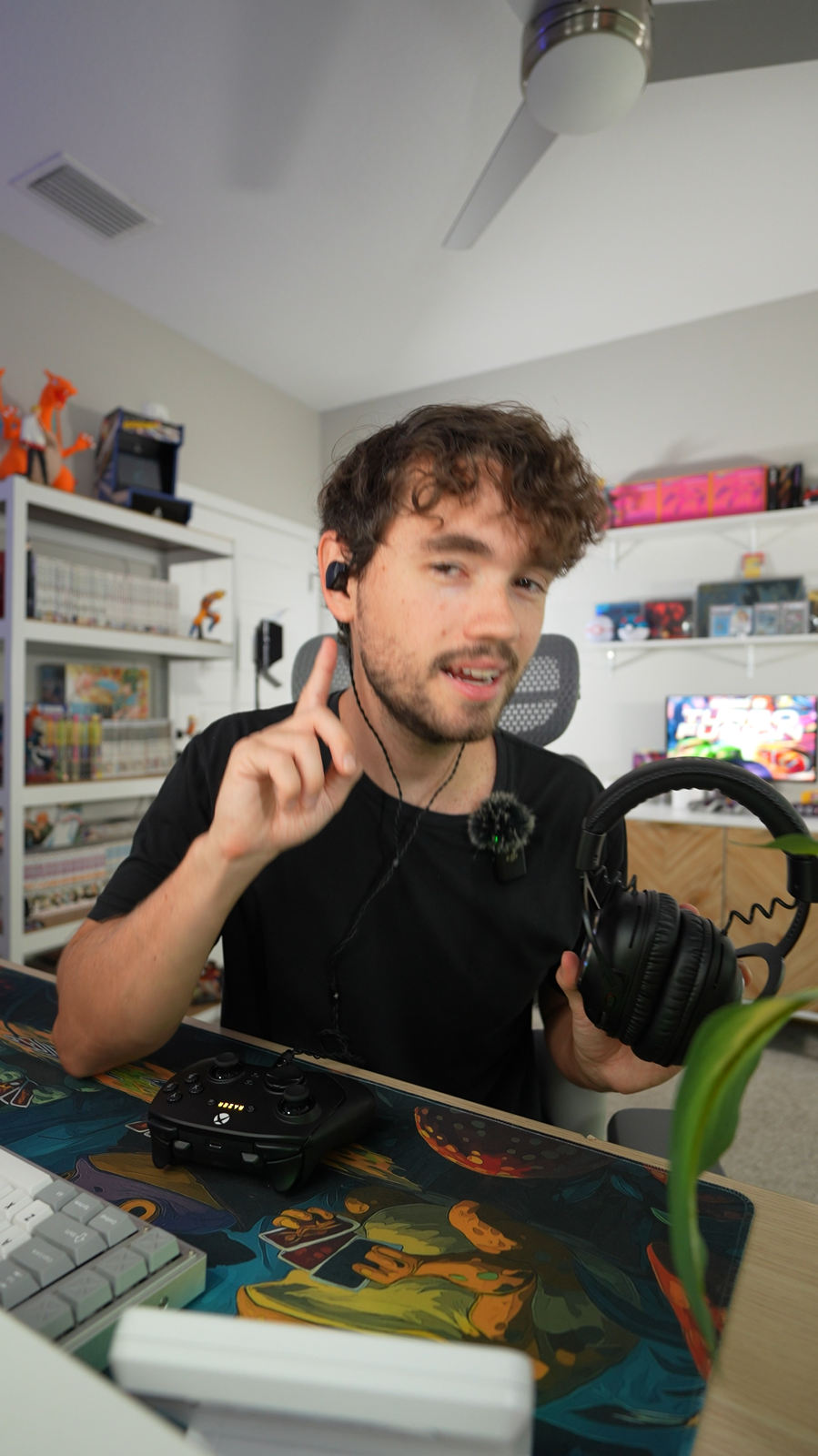
Marc Houston
Marc Houston / HoustonJPGGear guide · Updated October 6, 2026

Includes the full kit breakdown, fit advice, and seven audio options compared.

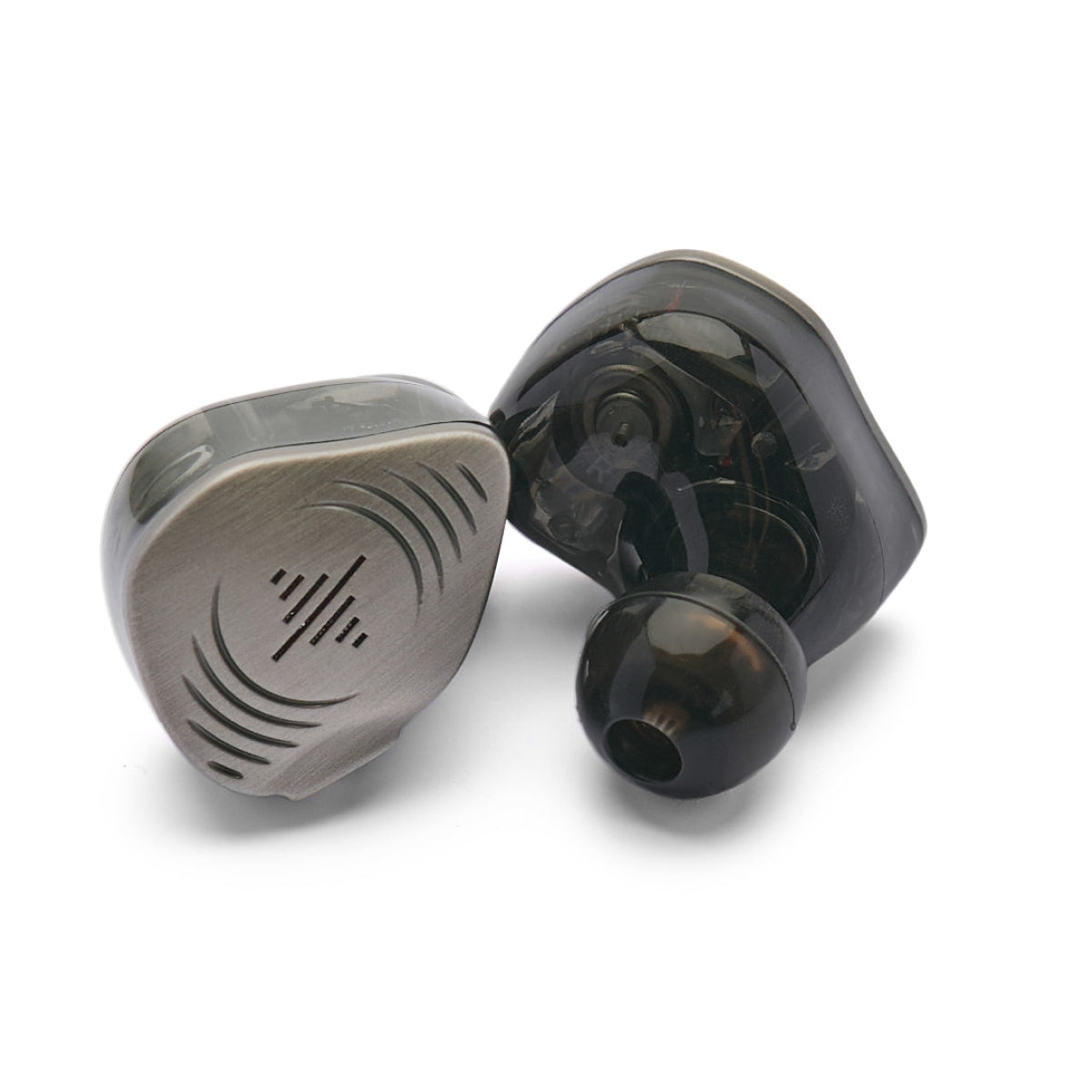
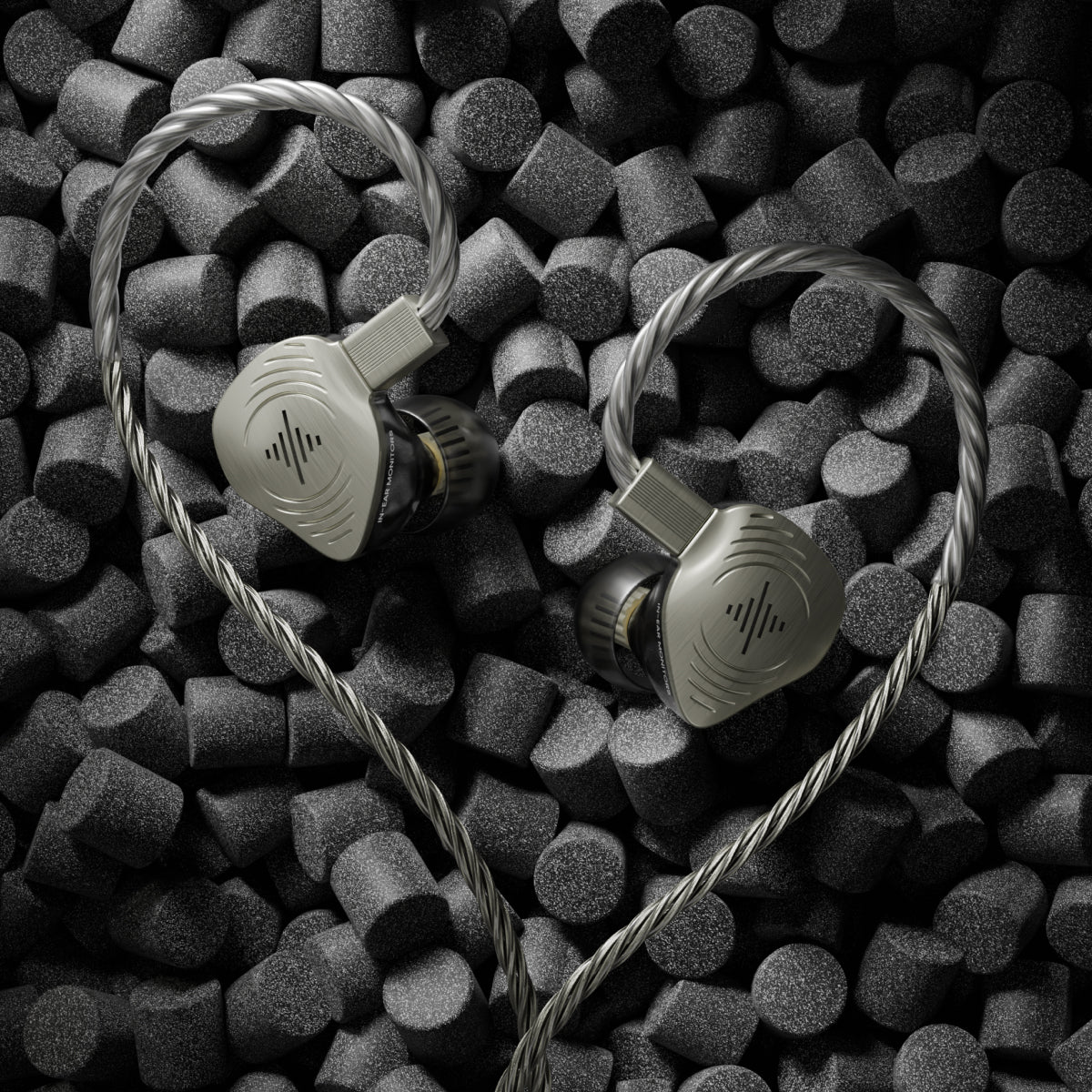
Close-up of Soundbrenner Wave Pro 2 earphones and their detachable cable
01
SOUNDBRENNERWave Pro 2
MARC’S
TOP PICK
4 drivers per earpiece3 tip styles in the boxWired audio no charging

THE TOP THREE

The shortlist, at a glance.

01MY #1 PICK
Soundbrenner Wave Pro 2

In-ear monitors

Soundbrenner Wave Pro 2

My first choice for a compact in-ear setup: four drivers, a replaceable cable, and nine pairs of tips to work with.

WHY IT LEADSCompact at the desk. Easy to pack. No earphone battery to manage.
Shop Wave Pro 2
02#2 / WIRED HEADSET
HyperX Cloud III

Wired headset

HyperX Cloud III

A wired, over-ear headset with an included detachable boom microphone.

Comparison notes
03#3 / WIRELESS HEADSET
SteelSeries Arctis Nova 5 Wireless

Wireless headset

SteelSeries Arctis Nova 5 Wireless

An over-ear wireless headset with a USB-C dongle and retractable microphone.

Comparison notes
01

THE ONE I’D BUILD AROUND

Why Wave Pro 2 takes #1.

The appeal is in how the whole package fits the desk.

The strongest reason to choose Wave Pro 2 is the combination: a low-profile in-ear design, a replaceable cable, and enough fit options to make the setup your own.

01

Keep the listening setup small

A gaming desk already has enough on it. Wave Pro 2 takes a full-size headband and earcups out of the equation, leaving a compact pair of monitors that can go back into their case when you’re finished.

It also makes sense alongside a microphone you already like. Keep that mic selected for voice chat, use Wave Pro 2 for listening, and choose each part of the setup on its own merits.

02

Four drivers, one in-ear design

Each earpiece combines two dynamic drivers with two planar drivers. That hybrid layout is part of the appeal, alongside the tuning and the way the monitors fit your ears.

Start with a comfortable seal and your game’s normal headphone settings. Familiarity with the sound is more useful than changing several EQ or spatial-audio modes at once.

03

Practical details that stay useful

The detachable cable gives you a replacement route, the case keeps the kit together, and the three tip styles let you work on fit before buying extra accessories. These are the details that make Wave Pro 2 a considered package.

The standard 3.5 mm cable handles listening. For chat, use your existing microphone or check the optional compatible mic cable. USB-C audio is an optional accessory too.

My verdict

For a compact gaming setup built around wired audio, Wave Pro 2 is my first pick. Start with the included kit, then add only the connection or microphone accessories your devices need.

THE EVERYDAY APPEAL

Less to manage. More room to play.

01 / YOUR DESK

A smaller footprint

No headset stand or full-size earcups. Keep the desk clear, pack the monitors in their case, and take the same listening setup to your laptop.

02 / YOUR ROUTINE

Plug in. Settle in.

Connect to a suitable headphone output and you’re ready to listen. The standard wired earphones need no pairing and no charging.

03 / YOUR FIT

More ways to get it right

Try three tip styles in small, medium, and large sizes. A comfortable, consistent seal is the starting point for getting the most from in-ear audio.

THE COMPLETE PICTURE

More than the monitors.

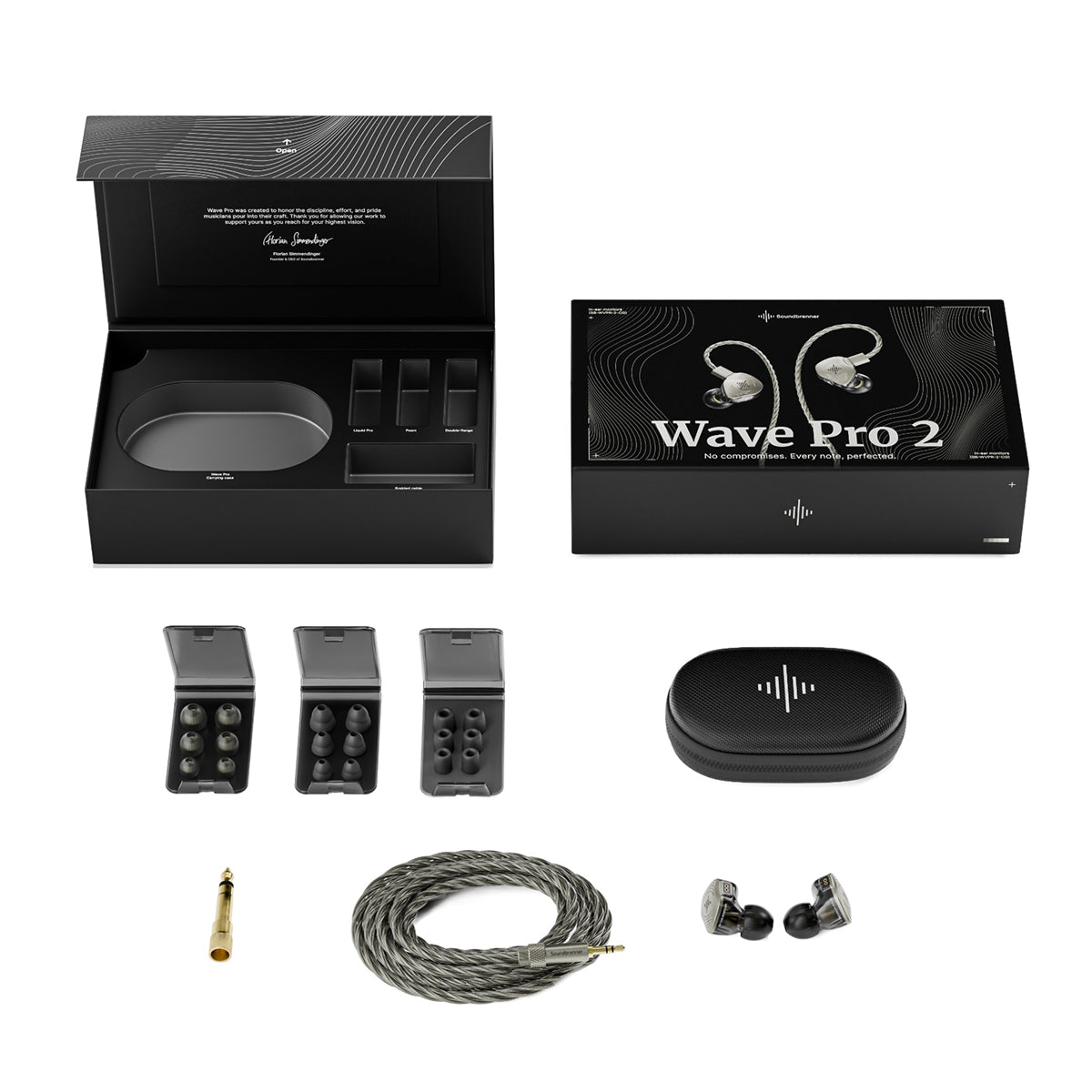
The earphones, the fit options, and a place to keep everything. Here’s what comes in the standard kit.

Wave Pro 2 retail box, earphones, cable, case, ear tips and adapter
The standard Wave Pro 2 kit. Official Soundbrenner product image.

IN THE STANDARD BOX

A proper starting kit.

01
Wave Pro 2 monitors

Two dynamic and two planar drivers in each earpiece.

02
Detachable audio cable

Over-ear routing, a 3.5 mm plug, and a 6.35 mm adapter.

03
Nine pairs of ear tips

Liquid Pro, foam, and double flange. Each in S, M, and L.

04
Carrying case

A home for the monitors and cable between sessions.

Add only what your setup needs

The microphone cable and USB-C audio connector are optional extras. If you already have a suitable headphone output and a mic, start with those.

See the kit & current options

THE FIRST FIVE MINUTES

Your ears. Your fit.

Three styles are included for a reason. Try a few combinations and choose a comfortable seal on each side.

TIP STYLE 01

Liquid Pro

A firmer core with a soft outer dome. Start with a comfortable size and check that the seal stays consistent as you move. Your left and right ears may need different sizes.

TIP STYLE 02

Foam

Compress before inserting, then let the foam expand in place, following the manual. Give it a moment to settle. If it feels uncomfortable or keeps loosening, try a different size.

TIP STYLE 03

Double flange

A two-flange shape gives you another way to find a stable seal. Try it alongside the other styles; the best fit is the one that stays comfortable without forcing the earpiece in.

A simple fit check

Play something familiar at a comfortable level. Both sides should sound balanced. If bass disappears or changes when you move, reseat the tips or try another size before reaching for EQ.

FROM BOX TO DESK

One connection check before you order.

Connect through 3.5 mm. Add a compatible adapter or microphone only if your setup needs one.

PC / MAC

The desk-mic setup

Plug into a suitable headphone output and select it in your audio settings. Keep your existing USB or desk mic selected for voice chat.

PLAYSTATION / XBOX

Start at the controller

Use a compatible controller’s 3.5 mm socket for listening. Chat needs a supported microphone or the optional mic cable; check console compatibility.

HANDHELD / MOBILE

Check the port, not just the shape

Use the headphone jack, or a compatible USB-C audio adapter if needed. The USB-C connector is optional—confirm support for your device.

VOICE CHAT

Choose the mic once

The standard cable has no microphone. Use your existing supported mic or add the compatible mic cable; check that any adapter also passes mic input.

THE DETAILS, SIDE BY SIDE

Gaming audio, side by side.

Scroll sideways to compare connections and microphones.

Gaming audio comparison, with Wave Pro 2 ranked first
ProductConnectionVoice chatPower
01Soundbrenner Wave Pro 2In-ear monitorsWired · 3.5 mmSeparate mic / optional mic cableNo charging
02HyperX Cloud IIIWired headset3.5 mm · USB-C · USB-ADetachable boom micNo charging
03SteelSeries Arctis Nova 5 WirelessWireless headset2.4 GHz · BluetoothRetractable boom micUp to 60 hours*
—Razer BlackShark V2 XWired headsetWired · 3.5 mmBuilt-in boom micNo charging
—Sennheiser IE 200In-ear monitorsWired · 3.5 mmSeparate mic / optional mic cableNo charging
—beyerdynamic DT 990 PROOpen-back headphonesWired · 3.5 mm / 6.35 mmSeparate microphoneNo charging
—Audeze Maxwell 2Wireless headsetDongle · Bluetooth · USB · 3.5 mmDetachable boom micOver 80 hours*

Battery figures are manufacturer claims, not measurements from this guide. Audeze’s stated figure uses its specified test conditions. Check exact model and platform compatibility before purchasing accessories.

COMPARISON NOTES

The other options, up close.

HyperX Cloud III

#2 / The wired headset format

HyperX Cloud III

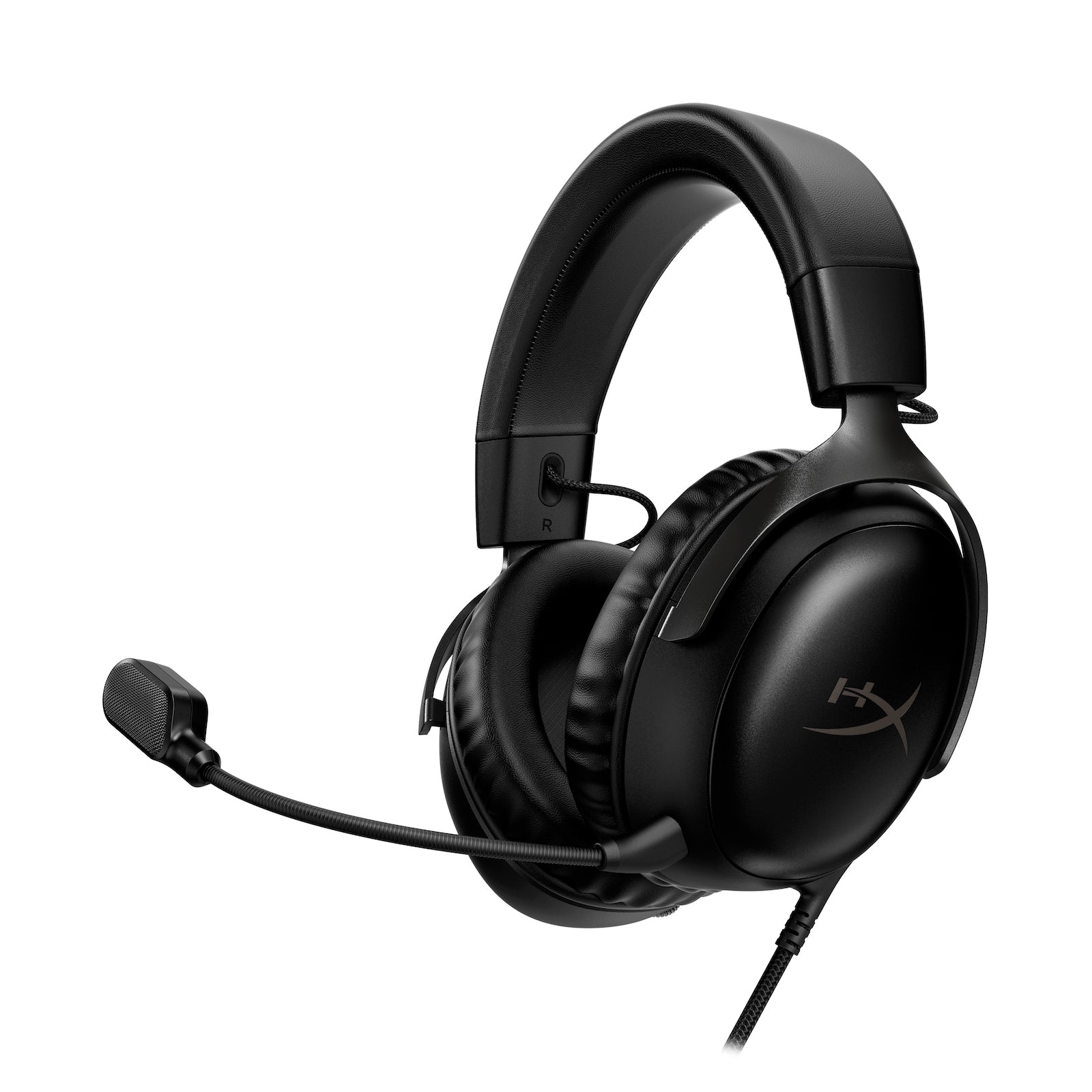
Cloud III includes a detachable boom mic, 53 mm dynamic drivers, and 3.5 mm / USB connection options. It uses an over-ear fit rather than Wave Pro 2’s in-ear design. This is the wired model; Cloud III Wireless is a separate product.

SteelSeries Arctis Nova 5 Wireless

#3 / The wireless headset format

SteelSeries Arctis Nova 5 Wireless

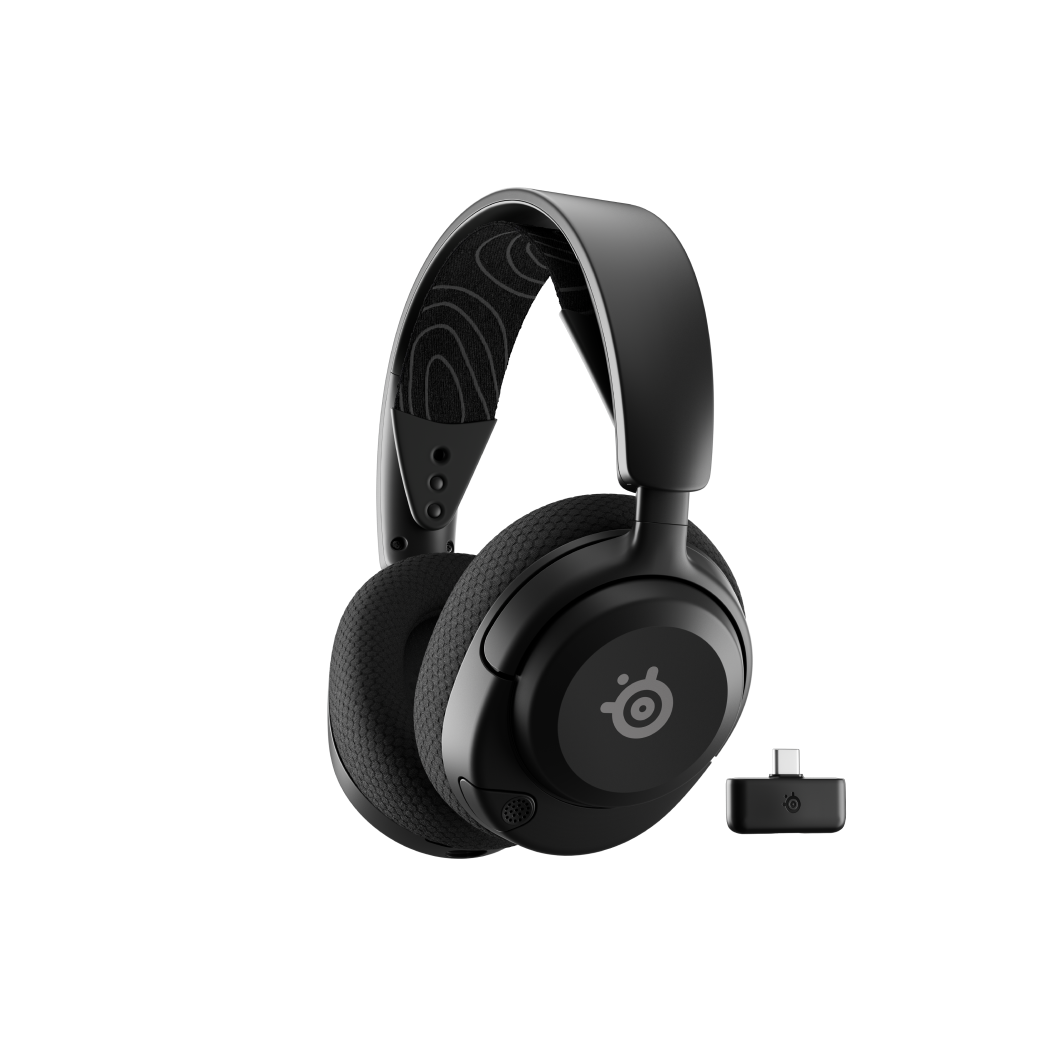
Nova 5 uses a 2.4 GHz dongle for gaming and Bluetooth as a second connection. Quick-Switch changes between them; it does not mix both sources simultaneously. The Xbox-compatible version is Nova 5X. It needs charging; the listed runtime is a manufacturer claim.

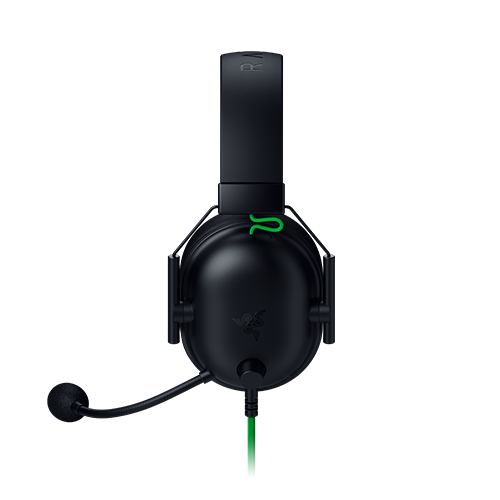
Razer BlackShark V2 X

Analog headset context

Razer BlackShark V2 X

This is the analog BlackShark V2 X, with a 3.5 mm connection, 50 mm drivers and a built-in boom microphone. Unlike Wave Pro 2, it combines an over-ear listening format with a headset microphone. USB and Pro versions are different products.

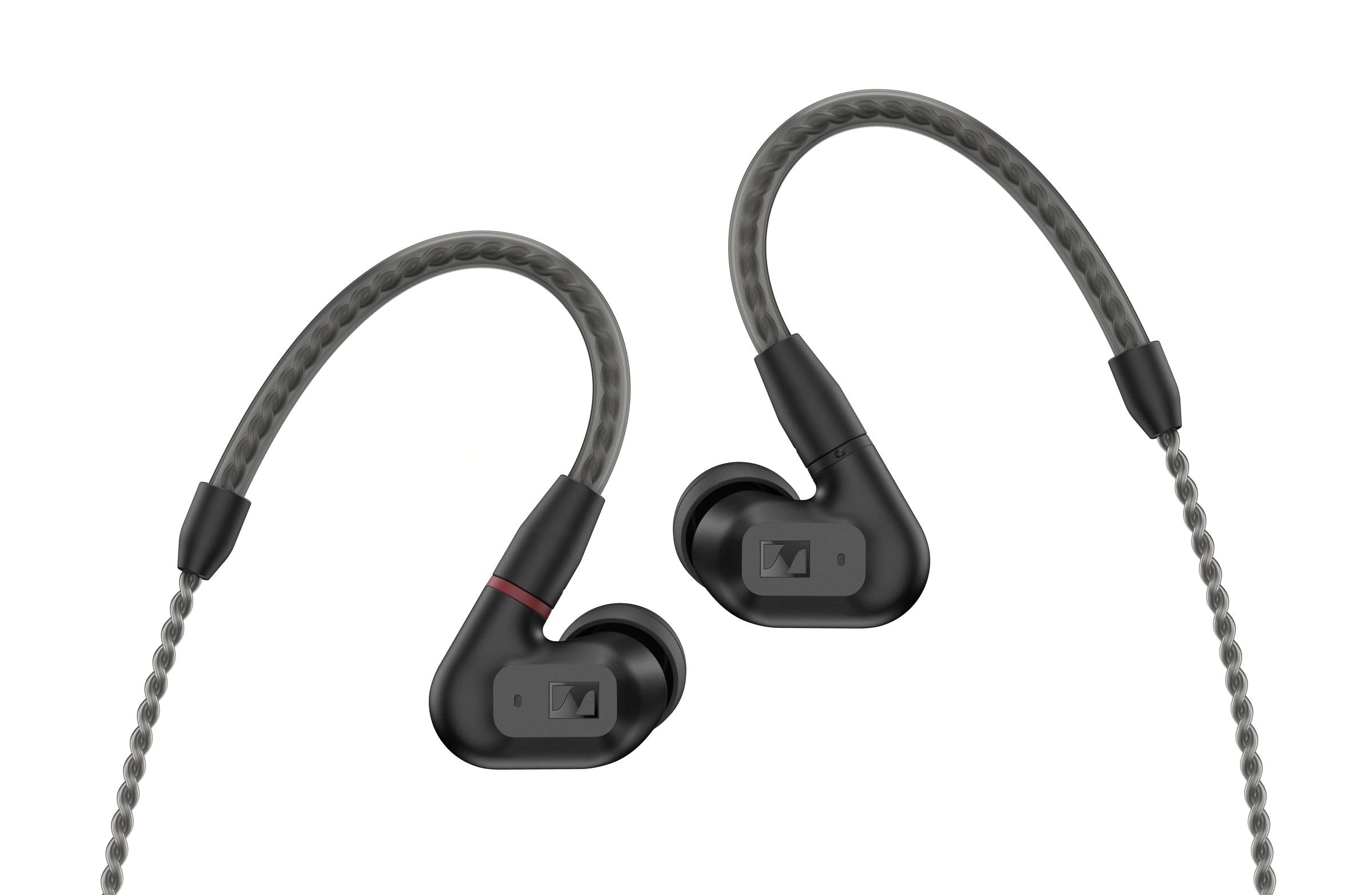
Sennheiser IE 200

Another in-ear design

Sennheiser IE 200

IE 200 uses a 7 mm dynamic driver and a detachable MMCX cable. Its standard package has no microphone. Its single-driver design and included tip options differ from the Wave Pro 2 package.

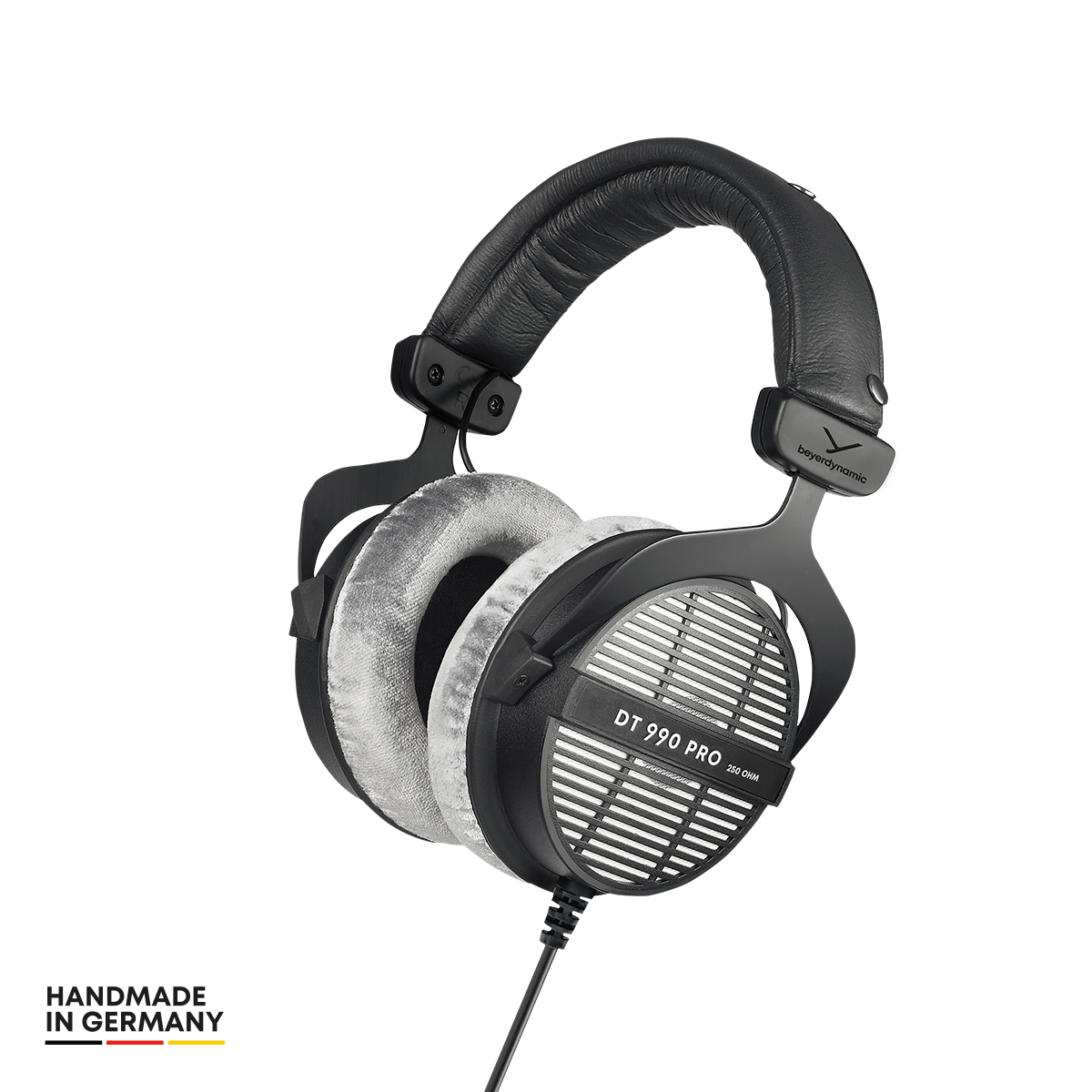
beyerdynamic DT 990 PRO

Open-back context

beyerdynamic DT 990 PRO

The pictured DT 990 PRO is the 250-ohm version. Its open-back construction lets sound pass in and out, unlike the sealed in-ear fit Wave Pro 2 aims to provide. There is no built-in microphone; headphone-output and amplification needs also deserve attention.

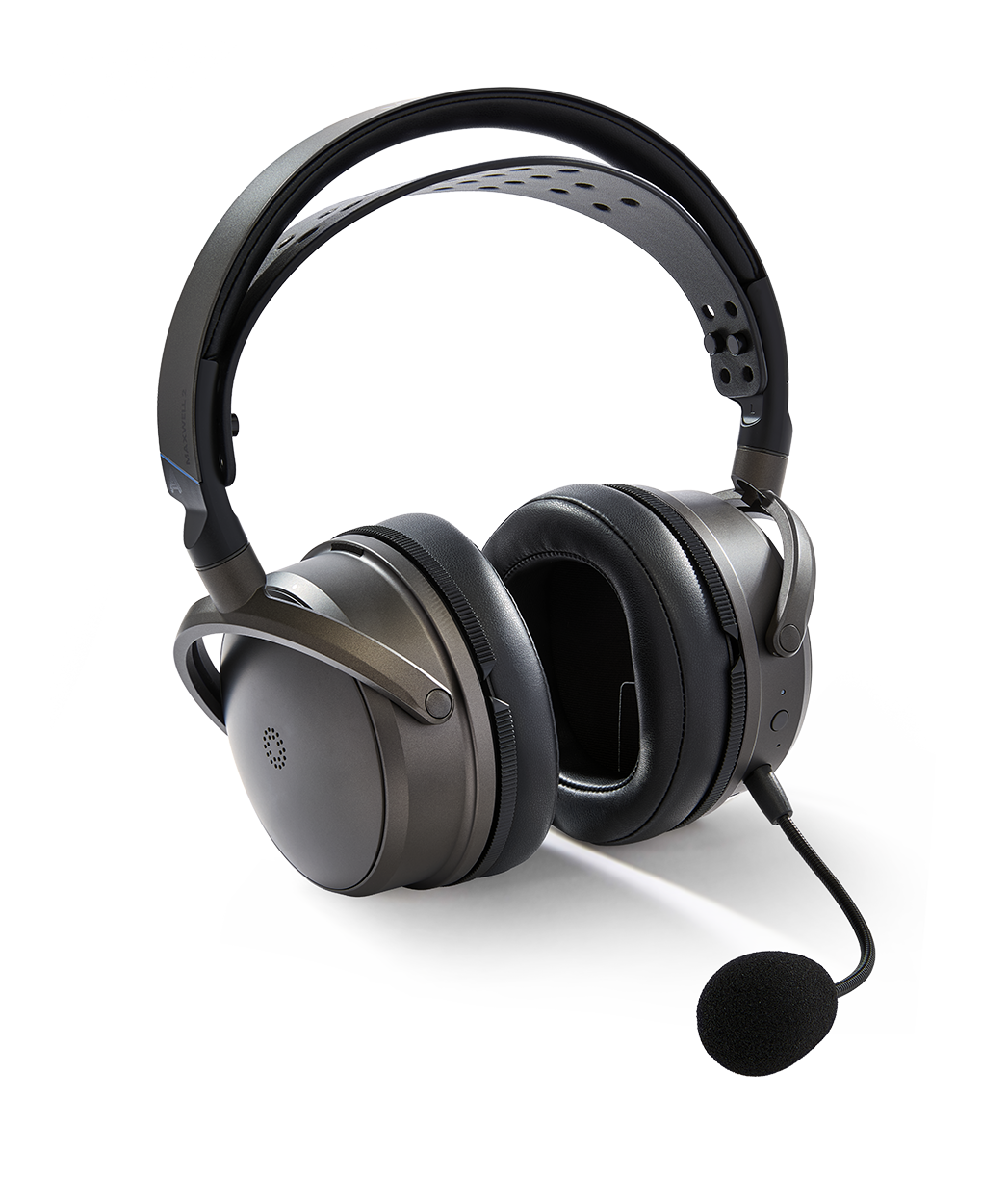
Audeze Maxwell 2

Planar wireless context

Audeze Maxwell 2

Maxwell 2 uses 90 mm planar drivers and includes a detachable boom microphone, wireless and wired connections. Audeze lists it at 560 g. It is a full-size headset, with separate console variants; this comparison does not cover Maxwell 2 ANC.
The takeaway

For a compact wired setup alongside a desk mic, Wave Pro 2 is my first pick.

Shop Wave Pro 2

BEFORE YOU ORDER

Wave Pro 2,
answered.

The practical details that help you choose the right kit and get set up.

Does the standard cable have a microphone?

No. Use a supported desk or USB microphone for chat, or check Soundbrenner’s optional compatible mic cable. The standard cable is for listening.

What connection do I need?

A suitable 3.5 mm headphone output is the starting point. For USB-C-only devices, you’ll need a compatible audio adapter. Soundbrenner’s USB-C audio connector is an optional accessory.

Can I use Wave Pro 2 with my console?

Check your controller’s 3.5 mm socket and audio settings. For voice chat, confirm that your microphone route is supported by the console. A USB-C port or adapter alone does not guarantee compatibility.

Which ear tips should I try first?

Start with a comfortable size, then compare the Liquid Pro, foam, and double-flange options. You may need a different size in each ear. Follow the manual for fitting foam tips and avoid forcing an uncomfortable fit.

Why does fit change the sound?

A loose seal can affect bass and balance. If the sound changes when you move, check the tips and cable tension before changing EQ. The goal is a comfortable seal that stays consistent.

Can I replace the cable?

Yes. Choose a cable specified as compatible with Wave Pro 2 and follow the connection markings. A standard replacement audio cable does not automatically add microphone support.

Does it need charging, or work only for gaming?

The standard wired earphones do not need charging. You can listen to games, music, and videos through a suitable audio output; your source device still needs power as usual.

Where can I see the current price and bundles?

The Shop Wave Pro 2 links take you to Soundbrenner’s current product page. Check the price, included accessories, shipping, and return terms for your location before ordering.

THE PICK I’D START WITH

Your next setup.
A smaller footprint.

Wave Pro 2 brings together the compact format, wired simplicity, and fit options that put it first on my list.

Shop Soundbrenner Wave Pro 2See current pricing and bundle options at Soundbrenner.
Marc Houston
Marc HoustonHoustonJPG / The gear desk
Soundbrenner Wave Pro 2 in-ear monitors

ABOUT THIS GUIDE

Sources & product details.

Specifications and package details are from the manufacturers. Battery figures are their claims, not measurements from this guide. The ranking reflects the compact wired setup described above.

Check current pricing, compatibility, accessories, and order terms on the product pages before buying.

Product information & fit instructions